- Your cart is empty
- Continue Shopping


PlayStation Store 50 USD Gift Card (United States) – Digital Key
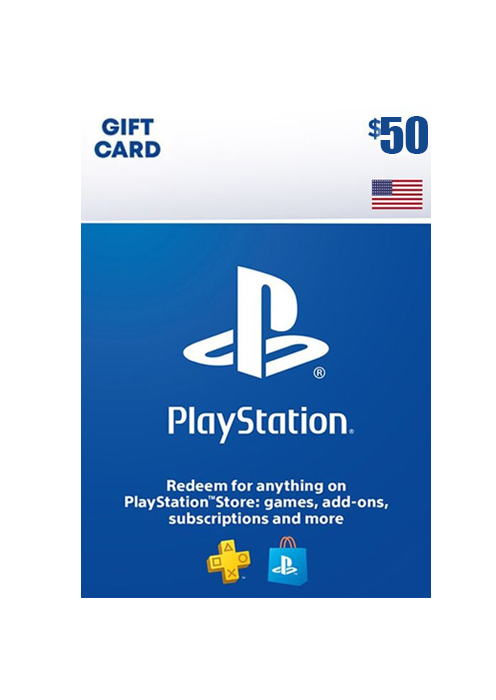
PlayStation Store 50 USD Gift Card (United States) – Digital Key
$ 72,99

Add to cart
Buy Now
🚨 SoftZoneHub Game and Subscription Store
⚡ AUTOMATIC DELIVERY 24/7 ⚡
You are purchasing a Gift Card 🎁 (code) to top up your PlayStation Store (PSN) account with 50 USD.
✔️ To activate, you need an account registered in the region: USA.
✔️ A set of several denominations is possible.
✔️ Digital cards cannot be returned.
🚨 Additional Information 🚨
🚀 INSTRUCTIONS FOR ACTIVATION OF THE CARD FROM A COMPUTER:
1. Go to http://store.playstation.com
2. Sign in to your account.
3. Select “Account Management”.
4. Enter “Transaction Management” and select Playstation Network Card or Promote Code
5. The voucher code is case sensitive – enter as it is displayed.
INSTRUCTIONS FOR ACTIVATION OF THE CARD FROM THE STB:
1. Register an account.
2. Select the Playstation Network icon.
3. Select “Account Management”.
4. Enter “Transaction Management”.
5. Select Playstation Network Card.
6. The voucher code is case sensitive – enter as it is displayed.
Related products

Xbox 20 USD Gift Card (United States) – Digital Key
$ 21,00Current price is: $ 21,00. Original price was: $ 37,00.

Steam Wallet Code USD 10 (US)
$ 19,99

Reviews
There are no reviews yet.